State screen
What a screen says when it has nothing to show, when it failed, or when the network is gone: an icon, a title in plain words, the reason and the way out — announced as it should be. With the slim offline banner for a screen that still shows saved data.

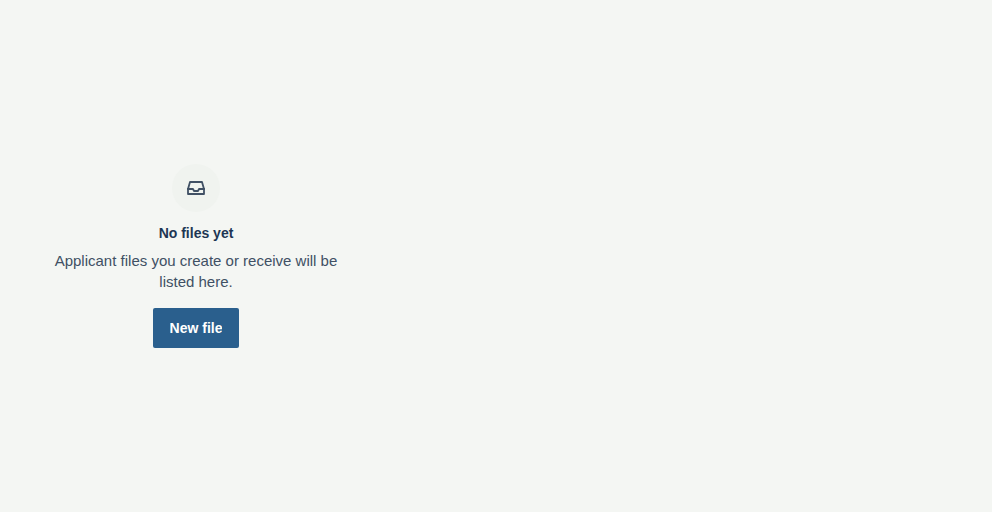
“Empty”, its React Native story at a phone's width — the same code on iOS and Android.
Mobile only — React Native, from @krizaka/ui/native. Beta: its API may still change in a minor version.
- Web · n/a. On the web these are the empty state and the error page. → Empty state
- Desktop · n/a. The Mac app's window is the web: its states are the empty state and the error page. → Empty state
Why it is here. the native apps: Yomizaka and Akinaza mobile, Orazaka mobile: the empty, error and offline screens (krizaka-ui#753, #741).
When to use
- A list or a screen with nothing in it yet.
- A request that failed and can be retried.
- The network is gone: the banner when saved data shows, the full state when nothing does.
When not to use
- A small empty region inside a card.Use instead: Empty state
- The app is in maintenance or must be updated.Use instead: Maintenance screen
Installation
Install
npx expo install react-native-svg
npm install @krizaka/ui
Import
import { StateScreen, OfflineBanner } from "@krizaka/ui/native";Wrap the app once in ThemeProvider from @krizaka/ui/native: every component reads its colour roles.
Examples
React Native has no live preview on the web: each example shows the screenshot of its story, tested in both themes, and the code to copy.
Empty
Nothing yet, and the one way to fill it.
Error
What failed in plain words, Try again, and a quieter way to get help.


Offline
The slim banner over the saved data, and the full state when there is none.


Props
StateScreen
The empty, error and offline screens. An error is announced as an alert, an offline state as a status; an empty one is just there.
| Prop | Type | Default | Description |
|---|---|---|---|
kindrequired | StateKind | — | empty (nothing yet), error (it failed) or offline (no network). |
titlerequired | string | — | What happened, in a few words (“No notifications yet”). Passed translated. |
action | StateAction | — | The way out: Try again, Add one, Open settings. |
description | string | — | Why, and what to do. |
icon | ReactNode | — | Replaces the icon of the kind. |
inline | boolean | — | Fills its parent and centres (default), or sits in the flow of a list (inline). |
secondary | StateAction | — | A quieter second way out (Contact support). |
style | ViewStyle | — | Styles merged last. |
testID | string | — | For tests. |
OfflineBanner
A slim strip at the top of a screen that still shows saved data while the network is gone.
| Prop | Type | Default | Description |
|---|---|---|---|
labelrequired | string | — | “You're offline. Showing what was saved.” Passed translated. |
actionLabel | string | — | “Try again”. |
onAction | (() => void) | — | Called by the action. |
testID | string | — | For tests. |
Accessibility
- An error is announced as an alert, an offline state as a status; an empty state is just a heading and a button.
- The icon is decorative; the title is the heading.
Best practices
- Say what happened in a few words and what to do: « We could not load your files » and « Try again », never « Error 500 ».
- One main way out (
action), a quieter second (secondary). An empty state's way out is how to fill it. inlineputs the state in the flow of a list; by default it fills its parent and centres.- The app detects the network (NetInfo) and passes the state: this component never reaches for the network itself.
Related components
Generated from the code of @krizaka/ui 3.65.0: its meta.ts, its examples and its types.Edit this documentation on GitHub