Composants
Tous les composants de Krizaka UI, par le travail qu’ils font — web, React Native ou les deux, avec un aperçu en direct et des filtres.
Tous les composants
Chaque composant de Krizaka UI, rangé par le travail qu'il fait. Filtrez par plateforme, groupe, statut ou produit qui l'utilise.
Composants
Actions
Vous venez ici pour laisser quelqu'un faire quelque chose : un bouton, une confirmation, une action flottante.
- ButtonThe action: six looks, three sizes, three shapes (rounded, pill, the Krizaka cut corners) — and the whole life of an action built in: a wait traced by the loader glyph, its progress, a success or a failure drawn and announced.Used by Orochia, Orazaka, Yasakia, krizaka.com.
- Confirm buttonA destructive action in two presses: the first arms it and says what will happen, the second runs it.Used by Orochia.
- Continue promptThe last call of a page or a flow: a short question, what counts (days, seats, seconds), and the one action that continues — a calm card by default, an arcade cabinet as a variant.Used by krizaka.com.
- Floating action buttonThe screen's one main action, floating above the content in the accent, clear of the safe area and the tab bar.the native apps: Yasakia (PY4), Yororis (PYO2), Orochia mobile (PS6), Orazaka mobile: the main creation action of a list screen.


Saisie et formulaires
Vous venez ici pour recueillir quelque chose : un champ, un choix, une date, un formulaire entier.
- CheckboxA box to check: checked, unchecked or indeterminate, with its words as one clickable label.The form and data-table primitives are built on it (they import it); apps reach it through them.
- ChipA selectable pill: alone a toggle, in a group a single or multiple choice, or a removable tag.Used by Orochia, Orazaka, krizaka.com.
- Choice gridA line-up of choices as tiles — a visual, a name, a line: a radio group with roving focus when selectable, a named showcase otherwise; sober by default, a select screen in the arcade flavour.Used by krizaka.com.
- ComboboxA text field that suggests and completes — one value or several as chips, from a static list or a server, with values created from what was typed.The form and tag input are built on it; Orazaka's model pickers use it through them.
- Date pickerDates and times chosen the way the task asks — a calendar, a period with presets, a strip of days, wheels, time slots, a month, a date of birth — as ISO values (
2026-10-11,2026-10,18:30) the form, the address and the API share, in the locale's own words.Orochia's scheduling and Yasakia's availability (DS5 dates), through the form. - FieldA form field: a label, a hint and an error around an
Input, aTextareaor a nativeSelect.Used by Orochia, Orazaka. - Filter barThe bar above a list: the controls that narrow it, the filters in force as removable chips, “Clear filters”, and the count of results — the state kept by the app, in the address.The data table's filters (Orochia and Orazaka admin tables).
- FormA form = a schema (zod 4) + the package's fields, on TanStack Form v1: each error shows once the field is left and goes as soon as it is fixed, in the person's language (i18n keys, never the engine's English), a value can be checked on the server as it is typed, and the server's refusals land under their fields — web and React Native, the same schema.PS3's form (TanStack Form): every business form of the products migrates to it.
- OTP inputA one-time code in boxes over one real input: the keyboard's suggestion of the code and pasting fill every box at once.the native apps: Yasakia (PY4), Yororis (PYO2), Orochia mobile (PS6), Orazaka mobile: the code of a sign-in or a phone check.
- Radio groupOne choice among a few options, all visible: dots with their words, whole cards, tactile keys that press in, or a segmented control.Used by Orazaka.
- Search fieldA search box: a clear button, a global ⌘K / Ctrl+K shortcut, a debounced
onSearch, Enter to submit, and suggestions with the keyboard.The data table's search and every filtered list. - SliderA value or a range chosen by dragging a thumb along a track — steps you can see, the value floating over the thumb, the brand’s gradient, horizontal or vertical — with arrows and Page keys.Used by Orochia, krizaka.com.
- Tag inputFree words as removable chips — Enter or a comma adds one, a paste adds several, suggestions complete,
normalizecleans andvalidaterefuses with a reason.Free tags in the form: Orazaka's pack metadata, Orochia's video tags. - Tag selectorInterests, languages, what one is looking for: toggle chips with a limit and a count — the others rest once the limit is reached.Used by krizaka.com.


Navigation
Vous venez ici pour circuler : barres, onglets, étapes, palette de commandes.
- Chip linkA chip that is a link — a filter that is an address — with the look of
Chip, the current one marked, andchipVariantsto style anything else; server-safe.Used by krizaka.com. - CommandA command palette on cmdk: a search input over a filtered list of commands, inline or in a dialog.Used by Orazaka, krizaka.com.
- HeaderA screen's header: the bar under the status bar, and a large title that folds into it as the content scrolls.the native apps: Yasakia (PY4), Yororis (PYO2), Orochia mobile (PS6), Orazaka mobile: the header of every screen.
- Nav barThe Krizaka navigation bar, the same on every site of the family: a floating pill that tightens as the page scrolls, the family switcher on the brand, one light that glides to the item under the pointer or the focus and rests on the current page, accessible menus with rich links, and a mobile panel.Used by Orazaka, krizaka.com.
- PaginationMoves through a long list page by page: numbers with ellipses that fold into “Page 3 of 12” on a phone, or previous / next on a cursor.Used by Orochia, Orazaka.
- SegmentedA segmented control that switches between views of a screen — the native counterpart of the web's segmented tabs.the native apps: Yasakia (PY4), Yororis (PYO2), Orochia mobile (PS6), Orazaka mobile: switching a view inside a screen.
- Site footerThe footer shared by every site of the Krizaka family: the site's mark and line, its own columns, the family in columns (from
@krizaka/ui/sites), and the signature line — “A Krizaka company / product / open-source project” — with the version and Montréal.The family's adoption (NAV-SYS): the footer of www.krizaka.com, ui.krizaka.com, java.krizaka.com and every dev.<product> site. - Skip linkThe first tab stop of a page: a link that skips the navigation and lands on the content — hidden until it is focused.Every app shell that keeps its own layout — Orochia, Orazaka, Yasakia, Yororis (the accessibility pass, krizaka-ui#134); MarketingLayout and AppShell already use it.
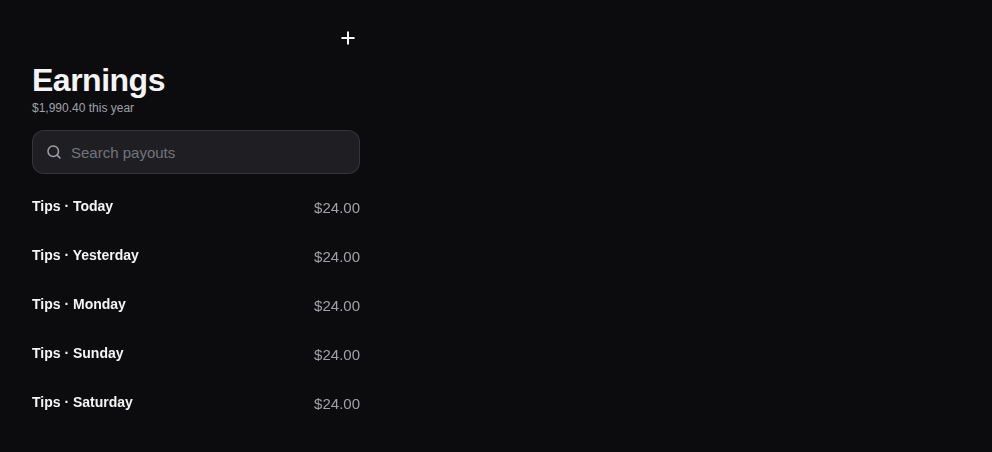
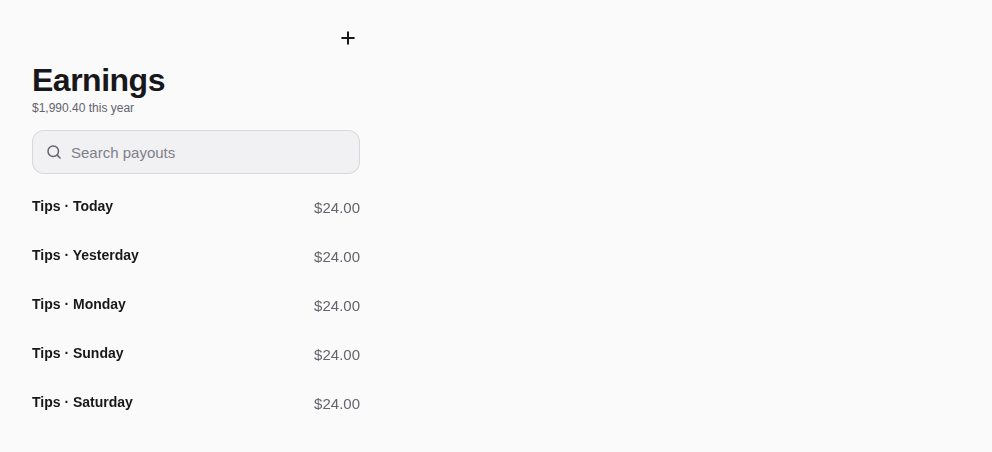
- Step progressThe head of a multi-step flow — a sign-up, a profile to fill: back, segments that fill, the position in words.the native apps: Yasakia (PY4), Yororis (PYO2), Orochia mobile (PS6), Orazaka mobile: the head of their sign-up and onboarding flows.
- StepperThe steps of a journey or a job: done steps checked, the current one traced by the Krizaka glyph (growing to its value), failures crossed, connectors that fill — and every state said in words.Used by Orochia, Orazaka, krizaka.com.
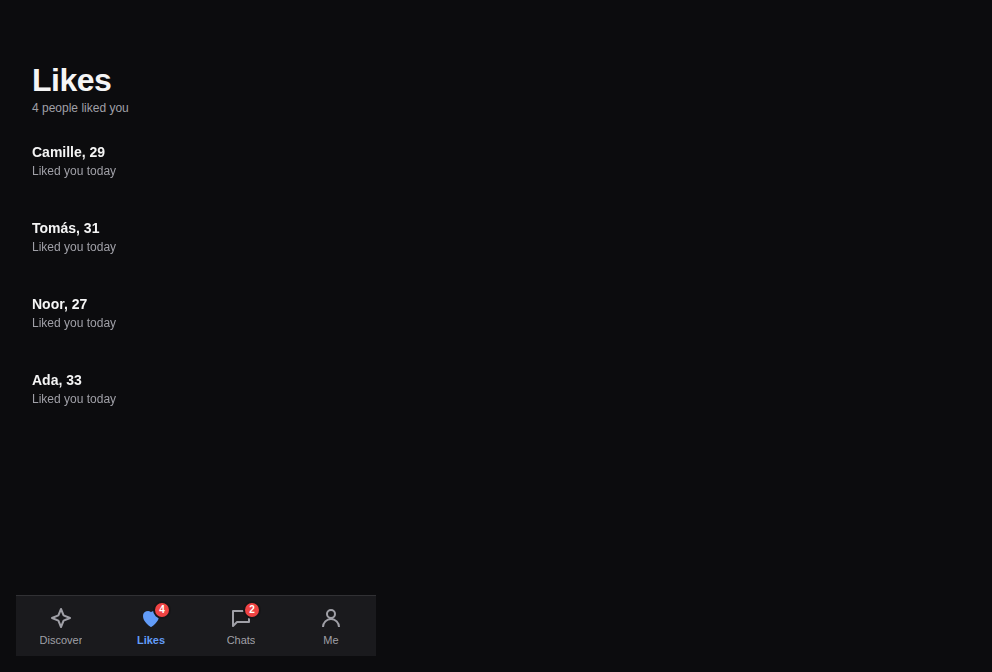
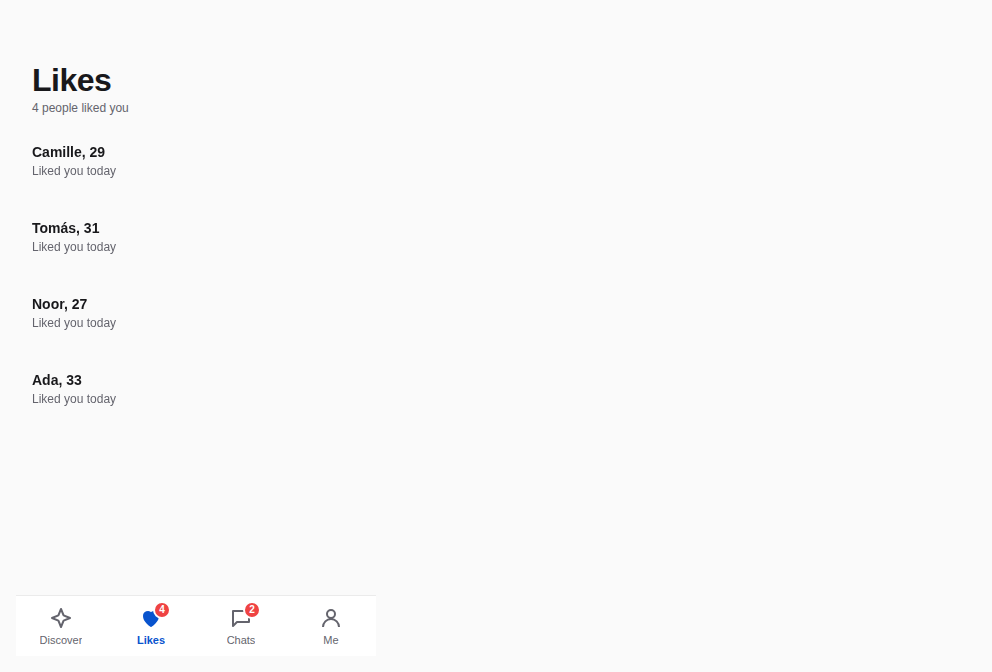
- Tab barThe app's main sections at the bottom of the screen: an icon and a word each, a badge for what is new, clear of the home indicator.the native apps: Yasakia (PY4), Yororis (PYO2), Orochia mobile (PS6), Orazaka mobile: the main navigation of every app.
- TabsViews of the same page, one at a time: underlined sections, a segmented switch or pills — one light glides from the active tab to the next, in every variant.Used by Orochia, Orazaka, krizaka.com.
- Tree viewA hierarchy the keyboard walks — the ARIA tree: one tab stop, the arrows move and open, a letter jumps, branches load on demand.No product uses it and no planned work needs it: the documentation tree is Fumadocs' and the datasets screens drill down with a list.




Superpositions
Vous venez ici pour poser quelque chose au-dessus de la page : dialogues, menus, bulles, infobulles, feuilles.
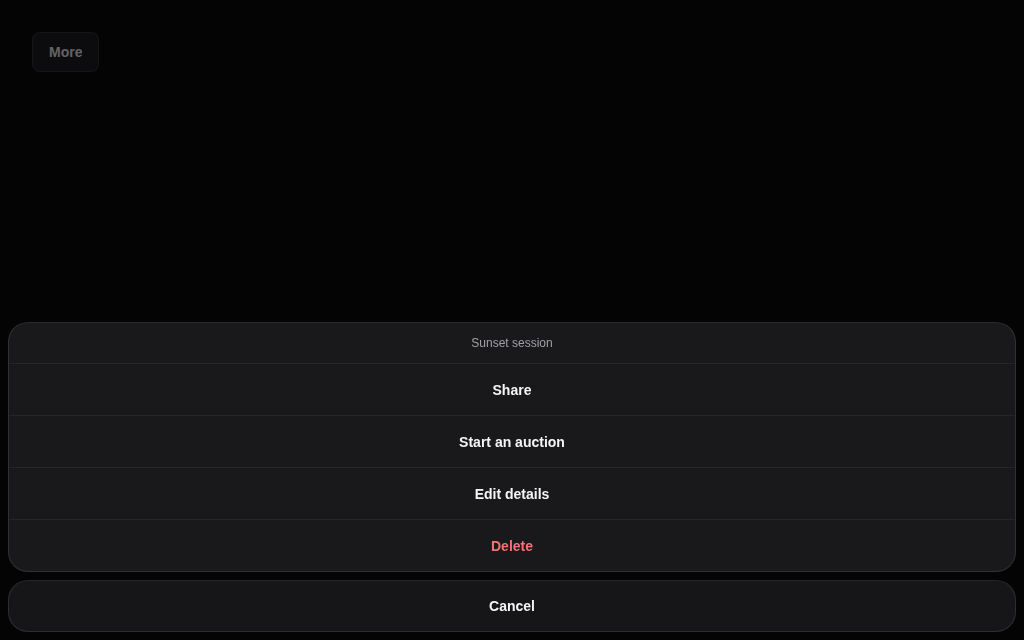
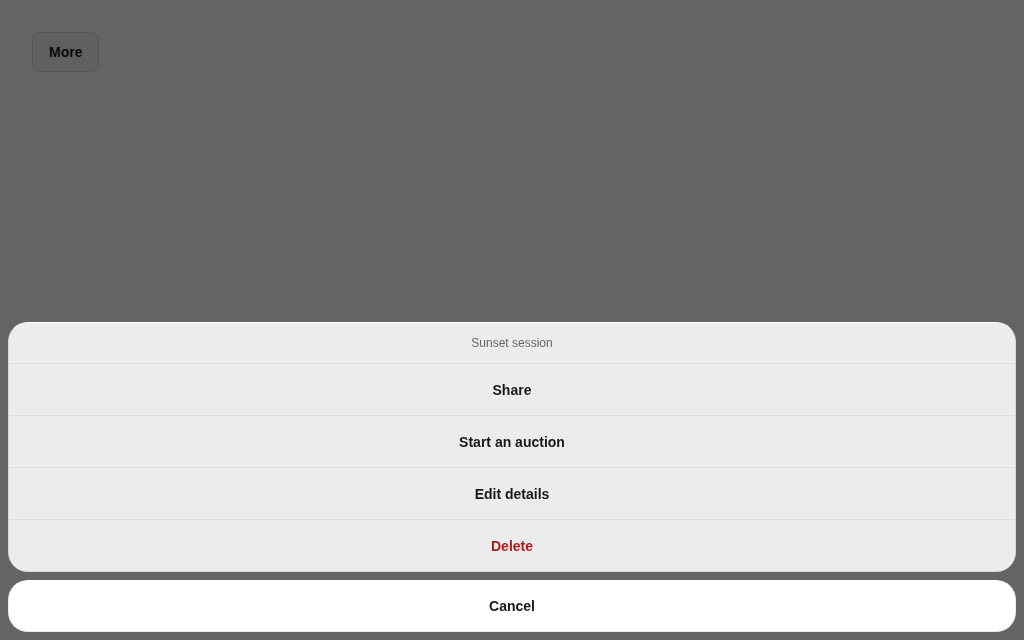
- Action sheetA short list of actions on an item from the bottom edge, the destructive one in danger, cancel apart.the native apps: Yasakia (PY4), Yororis (PYO2), Orochia mobile (PS6), Orazaka mobile: the menu of a long press and of "more" on a row.
- DialogA window over the page — centred, a bottom sheet or a side panel — and
AlertDialogfor a confirmation.Used by Orochia, Orazaka. - Dropdown menuA menu of actions opened from a trigger: items with icons, checkbox items, labels, separators, a destructive item.Used by Orazaka.
- Match dialogThe moment two people choose each other — a match, a pair, a deal: the two avatars meet at a heart in the brand gradient, the next step under them.Used by krizaka.com.
- PopoverA floating panel next to its trigger, for a small form or details, closed by Escape or a click outside.Used by Orazaka.
- TooltipA short label shown on hover and on keyboard focus, next to its trigger.Used by Orochia, Orazaka.
Retours
Vous venez ici pour dire ce qui se passe : alertes, chargements, toasts, états vides, progression.
- AlertA message in the flow of the page: a tone, an icon, a title, a text and an optional action.Used by Orazaka.
- Empty stateWhat a list, a search or a panel says when it has nothing to show: an icon, a title, a line and an action.Used by Orochia, Orazaka.
- LoaderA wait from start to end: nothing for the first instants, then the Krizaka glyph with its words, a percentage and an ETA, held long enough to read, ending on a check or a cross that is drawn and announced — and
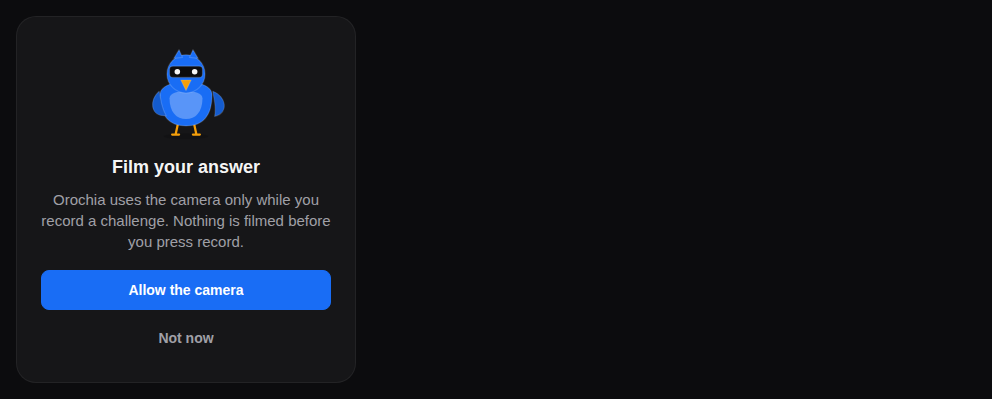
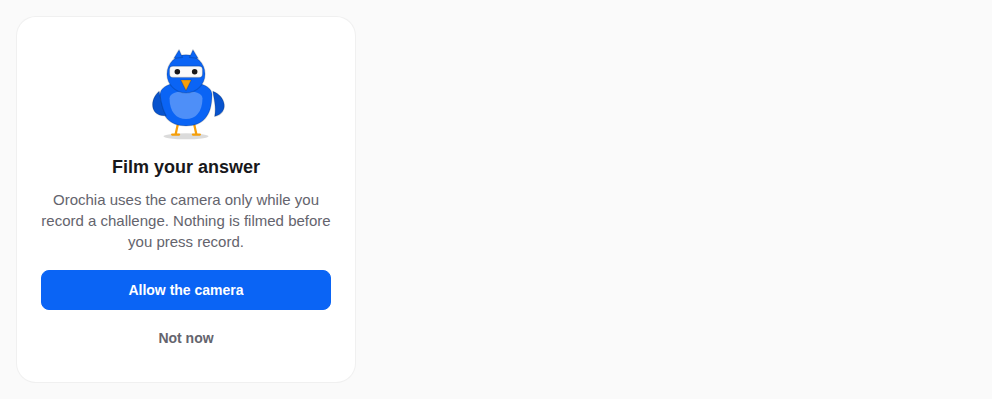
LoadingRegion, which hands a region over to a skeleton of its shape.Used by Orochia, Orazaka, krizaka.com. - Permission promptBefore the system's permission dialog, the app says why: a bird, what it is for, the button that asks — and the way to the settings once refused.the native apps: Yasakia (PY4), Yororis (PYO2), Orochia mobile (PS6), Orazaka mobile: asking for the camera, the location, notifications — in words, before the system dialog.
- ProgressHow far a task or a goal has come: a bar or a ring — with its words and time left, what is buffered ahead, its steps as segments, and a paused or failed state that says where it stopped.Used by Orochia, Orazaka, krizaka.com.
- Pull to refreshThe platform's pull to refresh in the theme's accent, for any ScrollView or FlatList — or
BrandedRefresh, where the product's own mark is drawn as you pull and turns while it refreshes.the native apps: Yasakia (PY4), Yororis (PYO2), Orochia mobile (PS6), Orazaka mobile: lists and feeds (and BrandedRefresh, krizaka-ui#137). - SkeletonA placeholder the shape of what is loading — lines, circles, blocks, or the real component turned into its own skeleton (
SkeletonShape) — crossed by one reflection of the brand light.Used by Orochia, Orazaka. - SpinnerThe Krizaka spinner: light traced around a hexagon, its node breathing — indeterminate, or growing to a
value; still and legible under reduced motion.Used by Orochia, Orazaka. - Splash hand-offThe static native splash dissolves into the product's animated mark until the first screen is ready — same place, same size, same background, no flash.the native apps: Yasakia (PY4), Yororis (PYO2), Orochia mobile (PS6), Orazaka mobile: the launch screen that dissolves into the product mark (krizaka-ui#137).
- ToastA short message that comes and goes — with the time it has left drawn and paused under the pointer, an undo that waits before an action is final, a long task updated in place, and repeats folded into one toast that counts.Used by Orochia, Orazaka, krizaka.com.
- Verified badgeA seal that says the person or the account was verified (a selfie, an ID) — the accent, named in words.Used by krizaka.com.


Données
Vous venez ici pour montrer de l'information : tableaux, listes, cartes, chiffres, profils, conversation.
- AchievementSomething done, and what it replaced: a milestone reached, a dare completed, a problem out of the way — on one grid of hairlines in a list, their badges arriving one by one; with three line emblems.Used by krizaka.com.
- Activity feedWhat happened, newest first: grouped by day, runs folded (“×3”), “2 min ago” kept fresh, new events announced — and
Timeline, one thing's history on a rail.Orochia's notifications and Orazaka's job history (the adoption of Elements, PS-E). - AvatarA person or an account: their picture, or initials while it loads, when it fails or when there is none.Used by Orochia.
- BadgeA short status or label: a tone, two sizes, an optional dot that can pulse.Used by Orochia, Orazaka, krizaka.com.
- ChatA conversation's parts —
MessageBubble(time, receipt, retry),TypingIndicator,MessageComposer,ConversationItem— the same API on the web and React Native.Used by krizaka.com. - CountdownThe time left until a moment, in tabular figures, turning urgent under a threshold.Used by Orochia, krizaka.com.
- Data tableA table of records on TanStack Table v9 — sort, filters and facets, groups, details, pages, selection, column visibility, pinning and resizing — in the browser or on the server, cards on a phone, windowing for long lists.Used by Orochia, Orazaka, krizaka.com.
- Description listFacts about one thing as term and value: stacked, inline like a receipt, or a grid of key figures (
KeyValueGrid).Facts of an object: Orazaka's job details and Orochia's order pages. - Goal gaugeA goal counted in steps — 6 of 10 backers, 3 dares done, 3 seats left: a meter whose reached steps light one by one (or whose spent ones drain) when its chapter plays.Used by krizaka.com.
- KanbanCards in columns moved by drag and drop — and by the keyboard (Space, the arrows, Space) — every move announced, column limits in the counts.Orochia admin's moderation queue (to review, reviewing, resolved), moved by keyboard as well as by drag.
- ListRecords read top to bottom — a leading visual, a title and a line, details and actions beside — dense or comfortable, selectable, windowed when long.the native apps: Yasakia (PY4), Yororis (PYO2), Orochia mobile (PS6), Orazaka mobile: every list on FlashList; Orochia web's infinite lists.
- MarkdownA Markdown text on the tokens — headings, lists and tasks, quotes, tables, links, images, footnotes, fenced code in
CodeBlock— parsed by TanStack Markdown, safe by default (raw HTML is never rendered), with a streaming mode for a text that arrives in pieces: an AI answer. React Native draws the same AST inTextandView.The AI answers of Orazaka's chat and the written help of every product: rendered Markdown that streams without half-written lines (PS4). - MeterA measure within a known range — a quota, a balance, a share: thresholds turn it to warning then danger (or the reverse when high is good), and split into parts it becomes a stacked bar or ring with its legend.Used by Orochia, Orazaka.
- Number tickerA figure that climbs into view once, or rolls digit by digit to each new value — server-rendered at its final value, its width held from the first paint, read once by assistive technology.Used by Orochia, Orazaka, krizaka.com.
- Profile cardA profile at a glance — a portrait, a name, a headline gauge, a few stats with their values in words, a line and actions: a creator, a match, a member, a plan.Used by krizaka.com.
- Promise cardA promise, the keys that call it and who carries it: a product's guarantee with its bird, a shortcut and what it does — a calm card with key-caps by default, a combo card whose keys light one by one in the arcade flavour.Used by krizaka.com.
- ShowcaseA slideshow that advances by itself and shows it: a segmented progress bar — the current segment fills over the interval, each one a button — with a counter, previous / next and a visible pause button. It waits for the pointer, the keyboard focus, a hidden tab and a scroll away, and never advances under reduced motion.Orazaka's "Prompt → image" gallery on dev.orazaka.com (KZ-AUTOPLAY), and the demo galleries of the products.
- StatA key figure: a label, a value in tabular digits, a hint and a trend said in words.Used by Orochia.
- Swipe deckCards decided one by one — drag right to like, left to pass, or the buttons (← → on the web) — with
PersonCard: a person's photos, name, age, seal, distance, bio and interests.Used by krizaka.com. - Swipeable rowA row whose actions show under a swipe: left for the trailing ones, right for the leading ones, a full swipe runs the outermost.the native apps: Yasakia (PY4), Yororis (PYO2), Orochia mobile (PS6), Orazaka mobile: archive / delete on a row of a list.
- VirtualLong lists and galleries rendered by what is in view, on TanStack Virtual: a list in its own region or the page's, a grid that fits the width, measured items, the end announced for infinite loading.The data table and the long lists are built on it.
- CardThe composed chassis of every card: a media with overlays, a body with a title, a description, stats and a footer.Used by Orochia, Orazaka, krizaka.com.


Médias
Vous venez ici pour lire, capturer ou retoucher images, vidéo et son.
- Audio playerA sound with a waveform you seek on — the peaks given by the server or computed once with Web Audio — play, time and speed, paused when it leaves the screen.Yororis' voice moments and Orazaka's speech studio (audio outputs).
- File uploadA drop zone that checks type, size and count, a list of uploads with preview, progress, speed and the actions each state allows, and a queue that pauses and resumes — Tus-ready without depending on it.Orochia's uploads and Orazaka's document intake, through the form.
- Image cropperA fixed frame — square, round, 9:16, a banner — over a picture or a video the person drags and zooms; a focus point and a zoom out,
cropRectfor the pixels.Used by krizaka.com. - Image viewerImages full screen on black: pinch and double tap to zoom, swipe between images, swipe down to close.the native apps: Yasakia (PY4), Yororis (PYO2), Orochia mobile (PS6), Orazaka mobile: full-screen photos of a profile or a gallery.
- Media captureThe camera in the page: a photo or a clip, front or back, the permission asked only on a gesture, and a way out every time the camera cannot start.Used by krizaka.com.
- Media pickerPhotos and videos picked from the library or the camera, as a grid of tiles with a remove button and a count.the native apps: Yasakia (PY4), Yororis (PYO2), Orochia mobile (PS6), Orazaka mobile: choosing or taking a photo.
- Photo gridA profile's photos in slots: the first is the main one, empty slots invite to add, photos reorder by drag (web), by their menu (React Native) or by buttons — every move announced.Yasakia's people screens (PY3/PY4) and Orochia's creator pages.
- Terminal replayA terminal session played back: each command typed at the prompt, its output line by line, the screen following the last line — or the whole session at rest, as the server renders it.Used by krizaka.com.
- Vertical videoA 9:16 short video with the action rail of a short-video feed — follow, like, comments, share, your own tip button — and the creator's caption over the picture;
ShortFeedstacks them as a snap-scrolling feed that plays the one in view.Used by krizaka.com. - Video playerA video with accessible controls — HLS through an hls.js loaded only when needed, signed sources resolved at the last moment, subtitles, speed, full screen, a pause when it leaves the screen.Orochia's video pages and the products' tours: the demos moved to the product sites with the showcase (#150).
- Video trimmerThe trim timeline of a video editor: two edge handles over a filmstrip frame the part kept, the outside dimmed, a playhead to scrub — every part stylable, the keyboard included.Used by krizaka.com.


Cartes
Vous venez ici pour montrer où sont les choses, avec des cartes open source qui ne coûtent rien par vue.
- MapMaps that cost nothing per view — MapLibre (open source) over Protomaps tiles on the Krizaka CDN, painted from the tokens in dark or light and in the product's accent — with markers, clusters, the person's position, a radius and a location picker.Used by krizaka.com.
Graphiques
Vous venez ici pour dessiner des chiffres : courbes, barres, jauges, entonnoirs — accessibles, avec leur tableau.
- Area chartA volume over time: a line over a soft wash, or stacked areas whose parts add up to a total.Revenue and latency over time (PS-C).
- Bar chartAmounts compared across categories: grouped, stacked or horizontal bars, each value written at its tip.Used by Orochia, Orazaka.
- Calendar heatmapOne cell a day over a year, weeks in columns, in one sequential hue: streaks, rhythms and gaps at a glance.A creator's activity by day (PS-C).
- CandlestickOpen, high, low and close per period, rising candles hollow and falling ones filled, the volume in its own panel, zoom and thresholds.A financial chart: no product shows prices over time. Removed in the next major of @krizaka/charts (PS-C).
- Chart (ECharts option)Any ECharts option on the Krizaka frame: the theme resolved from the tokens, the lazy engine, the states, the table, the keyboard, the export.The base the other charts are built on.
- Charts providerThe locale, the brand palette and the words of every chart below it, set once; plus the sliding window for live data.Used by Orochia, Orazaka.
- Credit usageWhat is left of an allowance: the remaining amount in large, a meter that turns to warning then danger, the use per day and the day it runs out.Orazaka's credits left and Orochia's allowance (PS-C ready-made charts).
- Earnings chartEarnings per period in money: the bars of the net amount, the total and the last period's change written above, the payout threshold as a line.A creator's earnings per period in Orochia's studio (PS-C).
- FunnelStages that lose people on the way, with the conversion from each stage to the next and from the first written beside it.Orochia's sign-up and purchase funnel (PS-C).
- GaugeOne value against its range on a 240° arc: zones that change its tone, a target tick, the value written in the middle.Used by Orochia.
- Geo mapWhere: a world choropleth in one sequential hue, bubbles on places, country names in the reader's language — plain SVG, the world loaded on demand.Audience by region, on MapLibre (PS-C).
- GlobeThe world as a lit 3D sphere — places, great-circle arcs, tinted regions — turning slowly while on screen, dragged by hand, in SVG without WebGL.A 3D globe: heavy, decorative, and the geo map on MapLibre replaces it. Removed with PS-C.
- Goal progressA pot towards its goal, in money: an arc that fills, “raised of $500” under the amount, the supporters and the time left.Orochia's challenge pots: raised of the goal (PS-C).
- HeatmapA measure across two dimensions — activity by weekday and hour — in one sequential hue, with a step legend.Merged into the calendar heat map, which is the one the products need. Removed with PS-C.
- Job throughputJobs per period stacked by status, with the total and the success rate of the finished jobs written above.Orazaka's jobs per period by status (PS-C).
- Latency chartMedian and 95th-percentile latency per item, in the unit that fits (ms, s, min), against a service objective.Orazaka's median and p95 latency per studio (PS-C).
- Line chartChange over time: one line per series, the last value written at its end, thresholds, markers and a crosshair tooltip.Used by Orochia, krizaka.com.
- Pie and donut chartPart of a whole: slices sorted by size, folded into “Other” past six, each share written in the legend; a donut carries the total in its hole.Used by Orochia, Orazaka.
- Price tickerA live auction's price: the current bid in large, the change since the opening and the number of bids, the bids as steps, the reserve as a line.Orochia's live auction price (PS-C).
- Radar chartSeveral measures of a few entities at once — models compared on quality, speed, cost — on axes around a centre.No product compares profiles on axes. Removed with PS-C.
- SankeyFlows between stages — credits from plans to models to outcomes — with widths proportional to the amounts.No product follows flows between stages; the funnel does. Removed with PS-C.
- Scatter chartThe relation between two measures, a bubble's area for a third, a colour per group, and the correlation said in words.No product plots two measures against each other. Removed with PS-C.
- SparklineA word-sized trend without axes — in a stat, a table cell or a sentence — drawn on the server when its width is known.Used by Orochia, Orazaka, krizaka.com.
- TreemapNested parts of a whole as rectangles — storage by project then by kind — a click zooming into a part.No product shows a part-to-whole hierarchy. Removed with PS-C.
Marque et mascottes
Vous venez ici pour qu'une page sente Krizaka : les oiseaux, les visuels et les effets signature.
- Mascot stateA moment told by a bird of the flock: nothing yet, a long wait, done, it failed, welcome — the bird of the job beside the words and the next action.Empty, loading and error states carried by a bird (#102), in every app.
- MascotsThe Krizaka flock: seven birds (falcon, owl, duck, flamingo, pigeon, lovebird, crane) in five moods, drawn in the product's brand colours — and the phoenix, the comeback.Used by Orochia, Orazaka, Yasakia, krizaka.com.
- MarqueeA band of items that slides forever — at a speed in pixels per second, paused by the pointer, the focus or its own pause button, read once by assistive technology, and a still row you scroll under reduced motion.Used by Orochia, krizaka.com.
- LandscapeThe Krizaka valley at dusk — peaks, a phoenix over a river of two flames, trees of light and the flock at work: a decorative backdrop in its own colours or in the host brand's.Used by krizaka.com.
- Mascot quoteA rule, a promise or a decision told by a bird: the sentence in a speech bubble, the bird under its tail and who speaks —
inlinein a card,calloutalone in a section.Used by krizaka.com. - Pointer lightThe light that follows the pointer over a group of cards: one passive listener writes the pointer's position into the card it is over, the card's CSS draws the light.Builds the card grid (the light that follows the pointer).
- Glow cardA card lit by the brand: a bloom of the accent follows the pointer across it, and its border is a ring of the brand gradient that turns and brightens under the pointer or the focus.Used by Orazaka, krizaka.com.
- IsoThe isometric kit: luminous objects built from the Krizaka vocabulary (hexagons, cut corners, the node) on a perspective grid — a hero driven by data (
IsoHub) or composed from primitives.The product heroes on dev.orazaka.com and dev.orochia.com (IsoHub), which left krizaka.com with the product pages (#150). - Scroll stageThe conductor of a told page: chapters (
Scene) that play their entrance once, in order, as they scroll into view — the visual, then the announcement, then the words — with one slow loop each, running only while on screen.Used by krizaka.com. - Section backdropThe backdrop of a page section: the brand's gradient, a light dome, an optional perspective grid and a blurred foreground.Used by Orazaka, Yasakia, krizaka.com.
Utilitaires
Vous venez ici pour les petits outils sur lesquels tout composant repose : fusion de classes, slots, thème, texte, séparateurs.
- SeparatorA line between groups of content, horizontal or vertical, decorative by default.A primitive of the platform: dividers inside menus, lists and cards.
- cnJoins class names and resolves Tailwind conflicts: the last class wins.Used by Orochia, Orazaka, krizaka.com.
- RecipesThe variants of a component written once, as classes of the Krizaka tokens: the web wears them with
tv(recipe), React Native reads the same classes into styles on the theme's roles withnativeRecipe(recipe).resolve(props, theme). Button, Badge, Chip and Card are built this way, so the two platforms cannot name different tokens.Builds the web and native variants of the primitives from one recipe (nativeRecipe, PS4): every component that exists on both platforms. - SitesThe Krizaka family as data: every site (the company, the products, the open-source projects, GitHub) with its address, kind, status, mark and repository, and the family's words in English and French — read by the bar's family switcher and the common footer.The family's adoption (NAV-SYS): the data behind NavBar.Family and SiteFooter on every Krizaka site.
- Slot
Slotmerges its props and classes into its only child — the engine ofasChild— andVisuallyHiddennames things for screen readers only.The `asChild` mechanism: every primitive that renders your own link or element is built on it. - ThemeDark, light or the system's:
ThemeProvider,ThemeScriptagainst the flash, andThemeToggle.Used by Orochia, Orazaka, Yasakia, krizaka.com. - TxtText in the platform's type scale, coloured by a role of the current theme.Used by Orochia, Orazaka.
Patrons
Blocs de page
Les pièces dont une page est faite : héros, sections, cartes qui argumentent, appels à l'action.
- Action barA row of link actions — discuss, propose, report, read the docs, see the code: buttons with their words at the end of a page, or icon buttons whose words are a tooltip at the foot of a card.Used by krizaka.com.
- Argument cardA compact card that argues — about a third of a full card: who (icon, name, the bird in the corner), the trap in one line, facts and one short action; the long version lives on a detail page or unfolds in place.Used by krizaka.com.
- Call-to-action panelThe invitation at the end of a section or a page: a title, why it matters, the ways to answer — in the hue of the page.Used by krizaka.com.
- Card gridA responsive grid of cards: as many columns as the width allows (one on a phone), the cells of a row at one height, a staggered reveal and the light that follows the pointer.Used by krizaka.com.
- Code blockA code sample: its language and file name, the code highlighted by TanStack Highlight on the tokens (TS, TSX, JS, JSON, YAML, Bash, HTML, CSS, Java, Kotlin, diff — it scrolls sideways, never shrinks), numbered lines, lines set apart (highlighted, added, removed, in focus) and a copy button that says it copied —
CodeTabsputs several build tools side by side.Used by krizaka.com. - Decision listThe decisions behind a product, numbered: what was chosen, large, then side by side what was refused, why, and what it costs the reader — each with its mark and its colour.Used by krizaka.com.
- Link cardAn entry point where the whole card is one link: an icon tile, a title, one sentence and the way in — compact, the same on every page, lifting and lighting under the pointer or the focus.Used by krizaka.com.
- PageThe frame of every page: one width (
--kz-page-max), one pair of gutters, one vertical rhythm —Page,Section(full-bleed, its heading, a hairline or the brand's backdrop as transition) andSectionHeading, withFactsandTicks.Used by Yasakia, krizaka.com. - Page heroThe first screen of a page: the way back, an eyebrow, the
h1, a lead, what follows them (facts, actions) and an aside (the page's bird) — on the brand's backdrop, painted at once.Used by Yasakia, krizaka.com. - Stage bannerThe announcement of a chapter: a stage and its name on one line, or, large, a stage above a title and a line — a sober eyebrow by default, a stage call that slams in for the arcade flavour.Used by krizaka.com.
- Table of contentsThe sections of a reading page: sticky beside the content on a wide screen, a row of chips that scrolls sideways on a phone, the section being read marked — with
TocLayoutto place it.Used by krizaka.com. - Page headerThe top of a page: a breadcrumb, the title, a description and the page's actions.Used by Orochia.
Gabarits d'écran
Les coques d'écrans entiers : une application, un tableau de bord, des réglages, une connexion, un objet et sa liste.
- App shellThe shell of an application screen: a sidebar of sections that collapses to its icons on a desktop and opens as a drawer on a phone, a sticky header with the screen's title, a search that opens the command palette and its actions, the content — and the keyboard shortcuts a console lives by (⌘B, ⌘K,
gthen a letter).the web apps' adoption: Orochia (PS5), Orazaka (PS6): the shell of every authenticated web screen. - Auth layoutAn entry screen — sign in, sign up, verify, onboarding: the product's brand panel (its gradient, a promise, a quote) beside a calm form; one column on a phone with the mark above the form.the web apps' adoption: Orochia (PS5), Orazaka (PS6): sign-in and sign-up screens.
- Dashboard layoutA dashboard: the screen's heading with its actions and filters, then a responsive grid of widgets — one column on a phone, two from sm, four from xl — each a titled region that spans one to four columns.the web apps' adoption: Orochia (PS5), Orazaka (PS6): the creator and operator dashboards.
- Detail layoutOne object's page: the way back, its media, name, status, facts and actions, its tabs, the content and a side panel that goes under the content on a phone.the web apps' adoption: Orochia (PS5), Orazaka (PS6): the page of one video, job or account.
- Docs layoutA documentation page in the site's frame: the pages, the article and its contents on a wide screen; on a phone the pages fold into a disclosure above the article.Builds the documentation article template.
- Marketing layoutA site's page: the link that skips to the content, the floating bar, the page made of a PageHero and Sections in one frame, the footer.krizaka.com migrating its pages to the specialised template (TPL): the frame of every public page.
- Settings layoutSettings: the sections on the side (a row of chips that scrolls on a phone) and the current section's forms, each a titled card with its own save.the web apps' adoption: Orochia (PS5), Orazaka (PS6): account and product settings.
- Split viewA list and its open item: two panes on a desktop; on a phone one at a time, the open item with the way back — chosen by showDetail, from the address.the web apps' adoption: Orochia (PS5), Orazaka (PS6): messages and any list-and-detail screen.
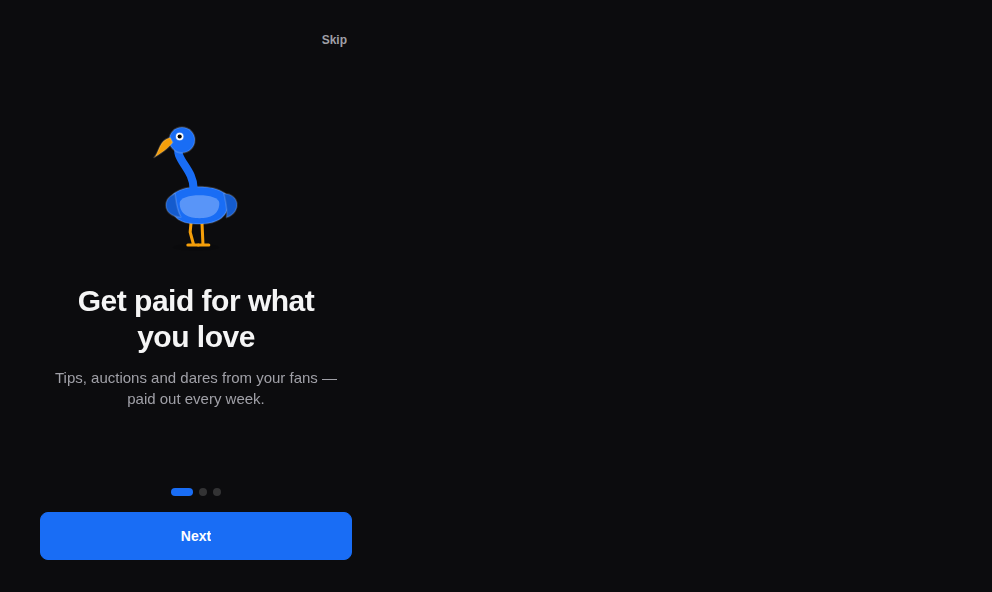
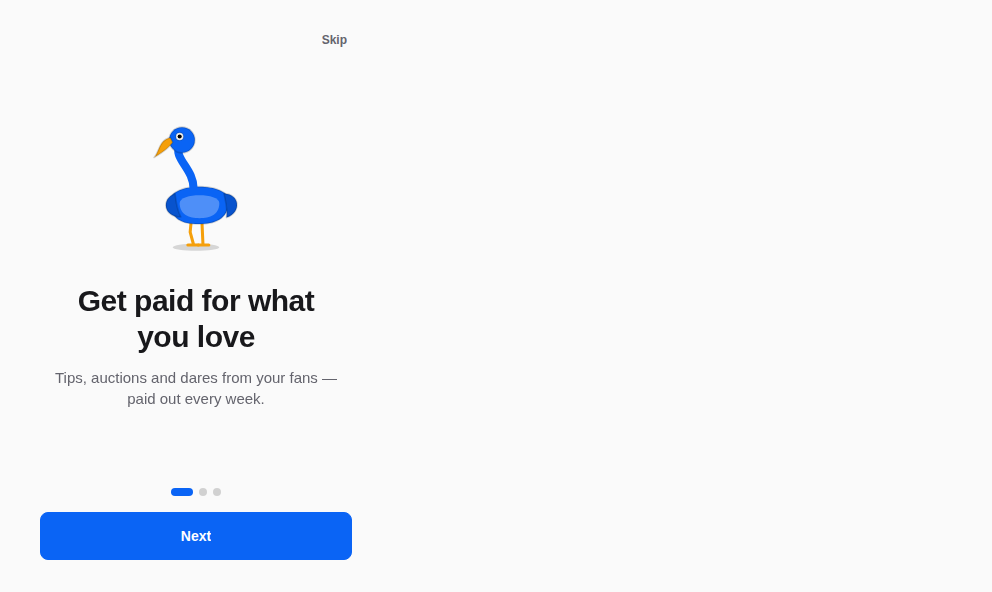
- OnboardingA first launch in a few slides: swipe or tap Next, Skip at any time, dots that say where you are.the native apps: Yasakia (PY4), Yororis (PYO2), Orochia mobile (PS6), Orazaka mobile: first launch and profile set-up flows.
- ScreenA screen of the app — a header, the content (scrolling, rising with the keyboard), a footer — and the templates built on it: app shell, sign-in, profile, feed, chat, settings, a map, notifications.Used by krizaka.com.
Modèles
Modèles
Vous venez ici pour démarrer une page entière, rangée par ce que la personne doit faire : être convaincue, comprendre, voir, agir, travailler, échanger, rebondir.
- Catalogue pageA catalogue or an index: the search in the hero, the filters in a sticky column beside the results (folded above them on a phone), the count, the results.Used by krizaka.com.
- Changelog pageWhat changed and why: each entry with its date and version sticking beside it, its changes by kind in words and colour, its reasons under it.krizaka.com migrating its pages to the specialised template (TPL): /changelog.
- Component pageA component's page: its name, summary, status and platforms, the live preview, the import line, its sections, the related components aside.krizaka.com migrating its pages to the specialised template (TPL): the component pages of /docs.
- Contact pageReaching the team: the public channels as cards beside the form, then what happens after sending.krizaka.com migrating its pages to the specialised template (TPL): /contact.
- Docs article pageA documentation article in the docs frame: the pages, the breadcrumb, the title with its facts, the reading column, the contents, previous and next.krizaka.com migrating its pages to the specialised template (TPL): the product documentation pages.
- Docs hub pageThe entry of a documentation: the search in the middle of the hero, the collections each in its product's brand with their quick links, quick starts beside the most read pages, what is new, the owl's promise.Used by krizaka.com.
- Error pageWhen a page is not there: the code drawn huge, the bird that lost its way, one sentence, a search and the ways back — never a dead end.Used by krizaka.com.
- Gallery pageA demo or a gallery: the filters as links, then the pieces in staggered columns, each framed with how it was made.krizaka.com migrating its pages to the specialised template (TPL): the demo gallery.
- How-it-works pageHow a product works, told in steps along a numbered line — each step its words beside its visual, the sides alternating on a wide screen.krizaka.com migrating its pages to the specialised template (TPL): the "how it works" pages of the products.
- Landing pageA landing page: the promise beside the product alive in a window, a band of proofs, the features as a bento where the main one takes the room, the closing call.krizaka.com migrating its pages to the specialised template (TPL): the home page and the product landings.
- Legal pageA policy or terms: the date in force, the short version in plain words, the sections in a narrow column with their contents beside them.Used by krizaka.com.
- Longform pageA long read — a story, an essay, a case: numbered chapters in a reading column, pull quotes in the margin, figures that break out.krizaka.com migrating its pages to the specialised template (TPL): /story.
- Pricing pagePlans and what they cost: the plans side by side with the featured one lifted, the comparison as a table, what a credit buys, the questions people ask.krizaka.com migrating its pages to the specialised template (TPL): /pricing of the products.
- Product pageA product's overview in its brand: split hero with facts and the product alive, the traps it removes as compact argument cards, its decisions with their cost, the promise a bird keeps, the closing call.krizaka.com migrating its pages to the specialised template (TPL): the product pages.
- Status pageWhere things stand: the overall state in words and colour, each service on its line, the incidents — or, for what is not built yet, its progress and how to hear about it.krizaka.com migrating its pages to the specialised template (TPL): /status and the "under construction" pages.
Qui utilise quoi vient d'un relevé daté des dépôts des produits (2026-10-14).